Rummy Safety: Protect Personal Information in Screenshots
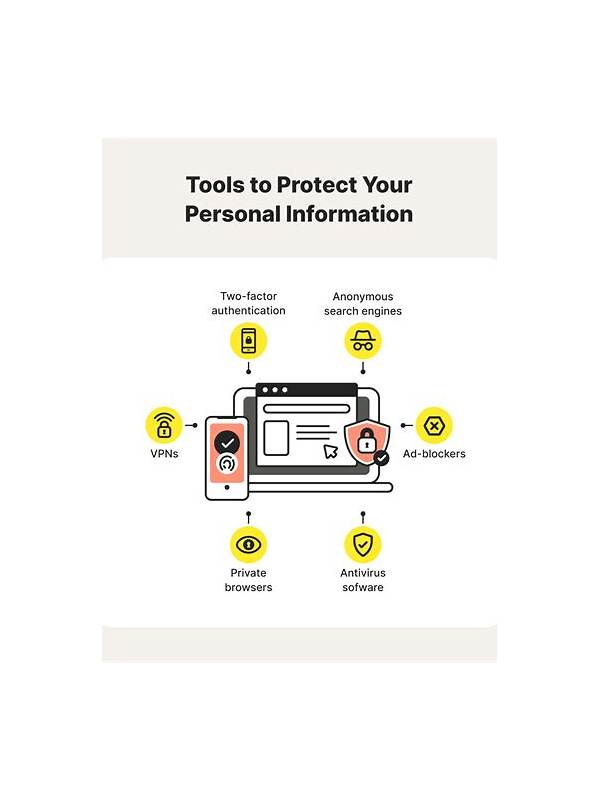
Screenshots are useful for reviewing a hand or reporting a technical problem, but they can contain more than the cards. Usernames, account identifiers, balances, notifications, and device details may appear around the game area. Protecting that information is part of safe digital play.
Before sharing an image, inspect all four edges, not just the center. Check the status bar, notification banners, chat panel, profile menu, and any payment or verification message. Crop the image to the smallest area that demonstrates the question. If the issue concerns a card layout, there is rarely a reason to include an account balance.
Redaction should be permanent. A simple blur or scribble in an editor may be reversible if the original layer remains embedded. Use a crop or export that removes the hidden content, then open the exported copy to confirm what another person will see. Never share a full identity document or payment screen merely to explain a game result.
Store the image carefully as well. Delete temporary copies from shared galleries and avoid posting it in a public group when a private support channel is appropriate. If a support request requires a reference number, provide only the requested portion and check that the channel is official. Support staff should not need your password, one-time code, or complete payment credentials.
Make a habit of pausing before upload. Ask whether the image answers the question, whether every visible detail is necessary, and who will retain it. A screenshot is a data package, not just a picture of cards. Reducing its contents protects your privacy while still giving reviewers the information they need.
Be cautious with automatic backups. A cropped image can remain in a cloud photo library, a messaging attachment folder, or a device recycle bin after you think it is gone. Review sharing settings on albums and group chats, especially when several people use the same device. If you are documenting a recurring issue, describe the symptom in text first and attach an image only when it adds necessary evidence. Less data is easier to protect. Do not rely on a recipient to remove sensitive material after you send it. Messages may be forwarded, downloaded, or copied into another system. Before sharing, consider replacing an identifier with a description such as “the account label at the top.” If a full image is unavoidable, use a trusted private channel and remove it from places where it is no longer needed.