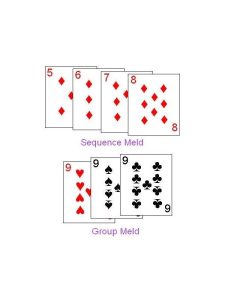
Rummy Safety: Protect Your Screen During Shared-Space Play
Playing rummy in a shared space creates privacy risks that have nothing to do with the cards. People nearby may see a screen, notifications may display account details, and automatic previews can reveal more than intended. A few device habits make the session safer.
Begin with positioning. Use a viewing angle that limits shoulder surfing, and avoid placing the screen where a camera or passing person can capture it. Lower brightness only enough to remain comfortable; a dark screen that causes squinting can create mistakes. A privacy filter may help, but it is not a substitute for awareness.
Turn off notification previews before starting. Messages, verification codes, and account alerts should not appear over a game. Use the device’s normal focus or do-not-disturb feature, while allowing only essential safety contacts if needed. Check that screen recording, casting, and nearby sharing are not active by accident.
Keep personal details out of screenshots and notes. If you need technical support, crop or cover usernames, payment references, and private messages before sharing an image through an approved channel. Never post a screen showing a one-time code. Support staff should not need that code to investigate a routine problem.
Secure the device when stepping away. Lock the screen, close unnecessary pages, and do not leave an account open on a shared computer. At the end of the session, review downloads and tabs if you used a browser. These steps are simple, but they prevent a casual interruption from becoming an account problem.
Privacy protection also improves concentration. Fewer pop-ups and a stable setup mean fewer rushed decisions. Treat the screen as both a game surface and a source of personal information, and prepare it accordingly.
If you play around other people, be considerate about sound and visibility. Use headphones only when safe and keep alerts quiet. Do not discuss another player’s hand where someone nearby can hear. A discreet setup protects everyone’s information and helps the session remain comfortable, whether the game is casual or competitive.
Before a session, glance at the lock-screen arrangement and recent-apps view. A notification hidden during play may still be visible when the device is set down. Close unrelated financial, work, or personal pages, and avoid using public Wi-Fi for sensitive account changes. The safest setup is one that reveals little even if your attention moves away for a moment.